Favorites
Save named positions and jump to any of them instantly. Favorites appear in both the Favorites screen and in the map's favorites sheet for quick access without leaving the map.

- Tap a favorite to walk (straight line or via roads) or teleport to that location immediately.
- Long-press a favorite to rename or delete it.
- Add a favorite by entering coordinates directly or by picking a point on the map.
Hot locations
Settings → Favorites → Show hot locations adds a curated list of 26 popular spots around the world to your favorites — cities, parks, and landmarks that are commonly useful for location spoofing. The toggle is off by default.
- Enabling upserts all 26 locations. If you already have a favorite with the same name, its coordinates are updated and your entry is otherwise left untouched.
- Disabling removes only the entries added by this feature (identified by an internal
hot_ID prefix). Your own favorites are never deleted. - The setting persists across app restarts and is included in export/import.
Map picker
When adding a favorite "from map", a full-screen map opens. Tap to place a pin, or use the Nominatim search to find a location by name. Search queries are sent to the public Nominatim instance at nominatim.openstreetmap.org — only the text you type is transmitted, no GPS coordinates or identifiers.
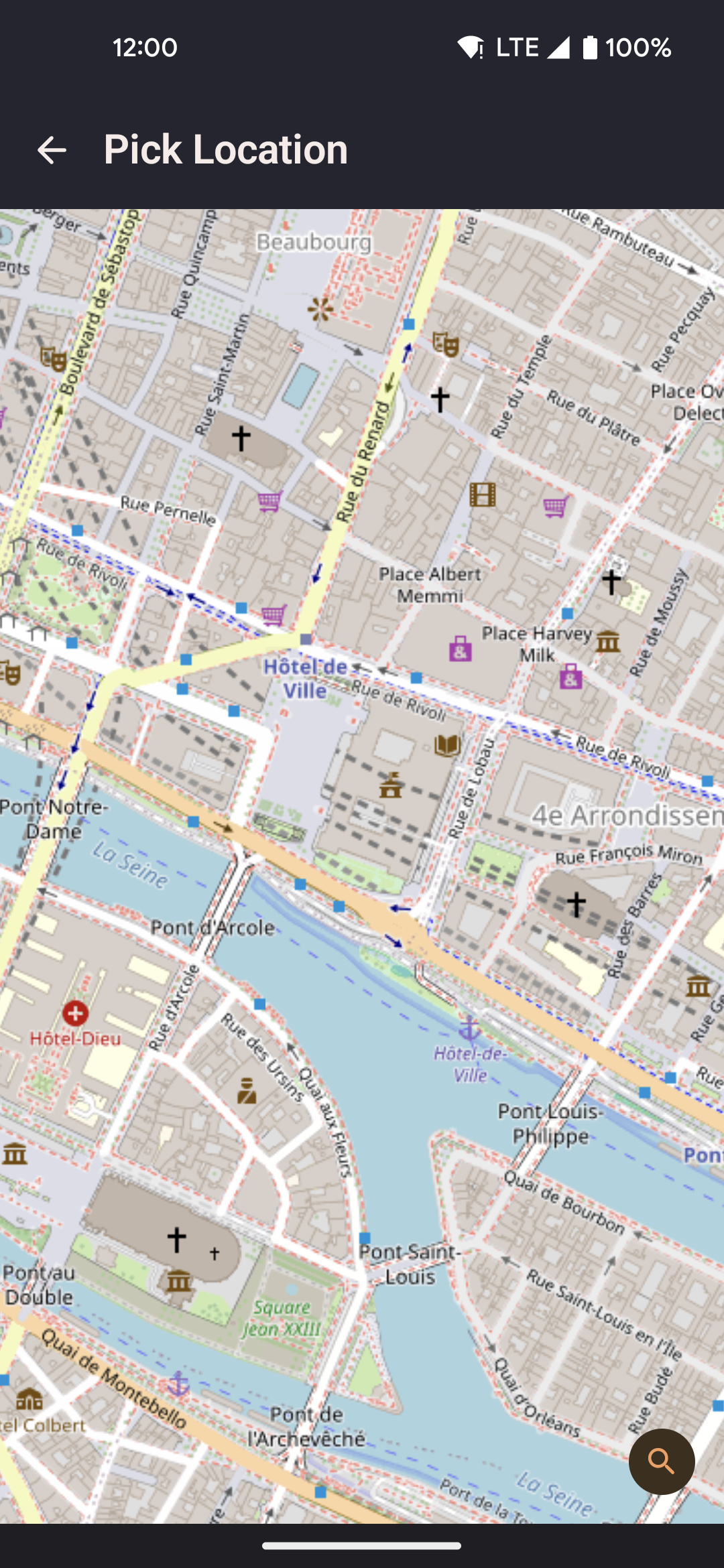
- Search by place name to jump the map to a specific address or landmark.
- Tap the map to move the pin to any exact coordinate.
- Confirm to save with a name of your choice.